Flexi Desk Plus

Setup, Tips & FAQ

Quick Setup Guide

Open it, set your height and angle, then lock it in.

SET UP THE DESK
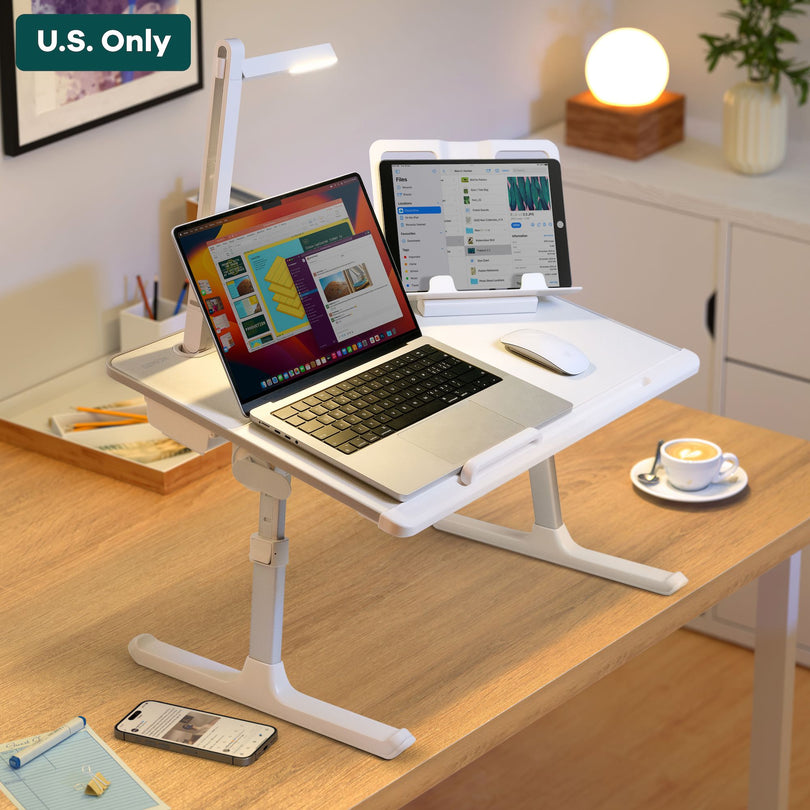
Step 1 Unfold the desk

Open the legs fully until they feel locked and stable.

Tip: If it feels “half open,” close it and reopen—then lock again.
Step 2 Set your height

Adjust to your preferred working height, then lock it in so it won’t drift.

Best practice: Set height first, then adjust the desktop angle.
Step 3 Adjust the desktop angle

Choose a comfortable angle for typing or viewing. Keep wrists neutral.

If your device slides, reduce the angle slightly.
Step 4 Place the stopper in the slot

Insert the stopper into the slot to keep your laptop/tablet from sliding at higher angles.

Tip: Use the stopper when you’re working on a steeper angle or on a softer surface.
Step visual
Unfold the desk
Unfold the desk
Open fully until it feels locked and stable.

Folding Lamp

Aim the lamp, then tap to cycle brightness.

FOLDING LAMP
Step 1 · Adjust the lamp direction Tilt the head & arm

Adjust the lamp to the desired direction. Small angle changes can make the light feel much softer on your eyes.

Tip: Start with a low angle for typing, then raise the head for reading or calls.
Step 2 · Press to control brightness Cycle: Low → Med → High

Press the button to control the light: Power On → Low → Medium → High → Power Off.

Tip: If you want a softer feel, stay on Low/Medium for longer sessions.
Step visual
Adjust the lamp direction
Folding lamp step visual
Tilt the head and arm to aim light where you need it.

Book / Tablet Holder

Two ways to use it: dock it in, or stand it up anywhere.

BOOK / TABLET HOLDER
Step 1 · Use it with the lap desk Insert it into the slot

To use it with the lap desk, insert it into the slot.

Tip: Push it in until it sits flush and feels stable.
Step 2 · Use it on other desks Unfold the standing legs

To use it alone on other desks, unfold the standing legs on the back.

Tip: Spread both legs evenly so the holder doesn’t wobble.
Step visual
Insert it into the slot
Book / Tablet holder step visual
Dock it into the slot for the cleanest setup.

Your questions, answered.

This looks nice! Is it worth it?

Yes—if you want a standing desk feel, without committing to a standing desk.

It gives you a flexible “standing desk” option you can also move it to the couch/bed/table in seconds. When you’re done, it folds away—so you’re not stuck with a big desk living in one spot.

What is the actual size of the table surface? Does it hold a laptop?

The tabletop is measured at 23.6x17.7” (60x45 cm).

The tabletop is big enough to hold a 16” laptop. However, it could block the LED light from lifting up, unless having to move the laptop to the side. So you can still use the laptop on the side or use it without the light feature.

A 14” or smaller laptop can fit perfectly with the use of this lap desk.

It says big legroom, do you have a height measurement?

Yes, the height of the lap desk is adjustable from 9.4” to 12.6” (24 to 32 cm), which means there's plenty of space for you to stretch out your legs.

I live in a small apartment. Is it easy to store away when it's not in use?

This lap desk is foldable in the legs for easy storage. You can put it under the bed or slide it into a tight corner.

Does a mouse work directly on the desk surface without a mousepad?

Yes. A mouse can work smoothly directly on the leather surface without a mousepad.

Why were the legs designed like sled legs?

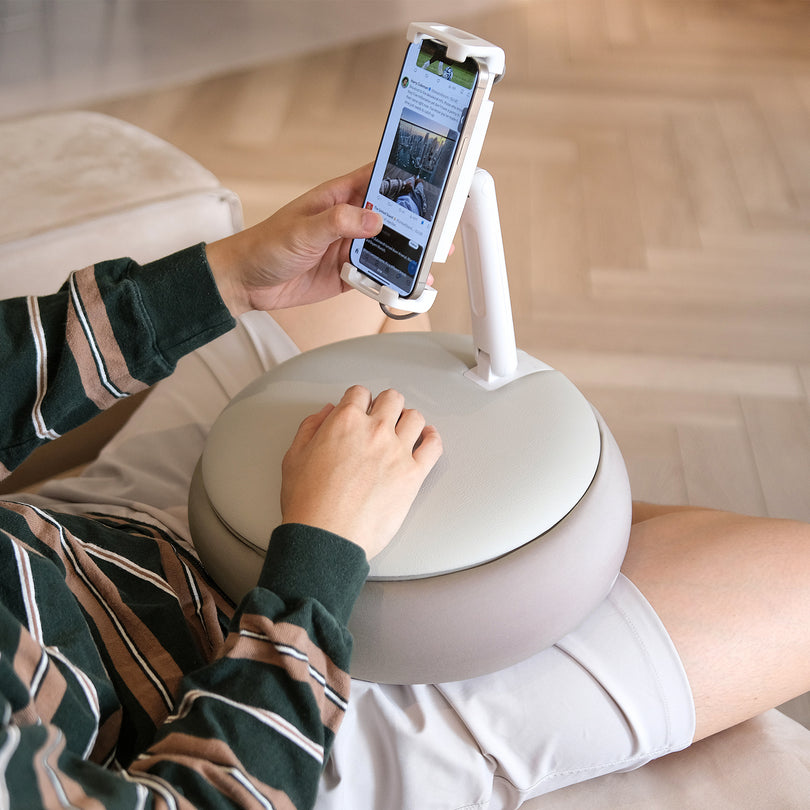
Sled-based legs are good for sliding. So when you’re using the lap desk on a sofa or a bed, you can easily move it around for easy in and out.

Can l use the book holder on its own?

Yes, the tablet/book holder is detachable and can be used on other desks. You may unfold the standing legs on the back and let it sit alone.

Is the LED light rechargeable?

Yes, the light is rechargeable with a USB-C cable. You can remove the light from the lap desk for easy charging.

How long does it take to get my order?

Once you place your order, we’ll pick & pack it within 48 hours (business days).

Estimated delivery times (after it ships):

  • North America — US: 6–10 business days (5–8 expedited), Canada: 8–12
  • Oceania — Australia / New Zealand: 10–12
  • Europe — UK: 5–8 (3–5 expedited), Most EU: 6–10 (5–8 expedited), Some countries: 7–12
  • Asia — SG / MY: 3–6, HK / TW: 3–4, JP / TH / VN / PH: 5–8

The moment it ships, we’ll email you a tracking number so you can keep an eye on it. If you’re ever unsure, just reach out—we’re happy to check your shipment for you.

What is the Genion Space return policy?

If for any reason you are dissatisfied with your product, you can return it for a full refund within 30 days following your delivery.

To be eligible for a return, your products must be clean and undamaged.

We’d love to hear from you!

Questions? Comments? Partnership ideas? Email us.

Questions? Comments? Partnership ideas? Email us.

Email hello@genionspace.com, and we'll provide you with instructions for returning your items. Easy as that!